


 Send Inquiry
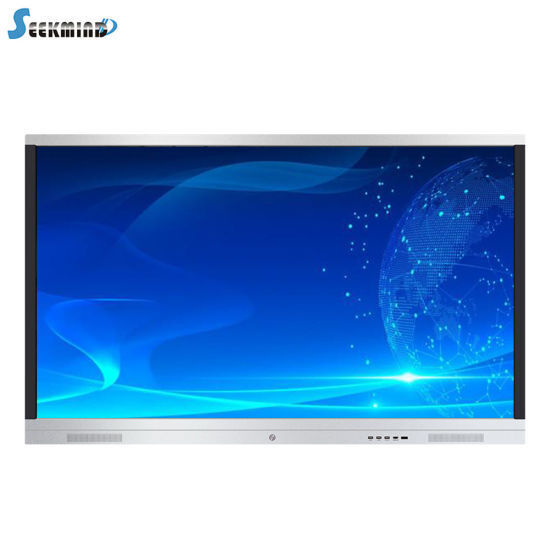
Benq 65 Inch Interactive Flat Panel
Price 120000 INR/ Piece
MOQ : 1 Piece
Benq 65 Inch Interactive Flat Panel Specification
- Voltage
- 110-240 V
- Usage
- Educational, Office, Conference Room
- Power Supply
- AC 100-240V, 50/60Hz
- Power Consumption
- 220 W
- Product Type
- Interactive Flat Panel
- Material
- Premium Glass, Metal Frame
- Size
- 65 Inch
- Style
- Modern
- Weight
- Approx. 44 kg
- Feature
- 4K UHD Display, Multi-Touch, Anti-Glare, Flicker-Free Technology
- Color
- Black
- OS Embedded
- Android 8.0 or higher
- Aspect Ratio
- 16:9
- Glass Type
- 4mm Tempered, Anti-Glare Surface
- Resolution
- 3840 x 2160 (4K UHD)
- Viewing Angle
- 178/178 (H/V)
- Response Time
- 8 ms
- Operating Temperature
- 0C to 40C
- Panel Type
- LED Backlit LCD
- Audio Output
- 2 x 16W Built-in Speakers
- Operating System Support
- Windows, macOS, Android, Linux
- Mounting Options
- Wall Mount, Optional Mobile Stand
- Touch Technology
- Infrared Touch, 20-point Multi-touch
- Connectivity
- HDMI, VGA, USB, LAN, RS232, OPS Slot
- Brightness
- 350 cd/m
About Benq 65 Inch Interactive Flat Panel
- RM6502K is designed to tap into the dynamic possibilities of the classroom and help teachers build a healthy and engaging learning environment. Not only does RM6502K come with Eye-Care solution, but it is also installed with proficient cloud whiteboard for enhanced class participation and foster collaboration with students beyond locations and platforms. RM6502K is your ultimate interactive display to achieve a touch-enhanced, and connect entire class for a smooth and fun learningexperience.
Crystal Clear 4K UHD Visual Experience
Experience exceptional image quality with the BenQ 65 Inch Interactive Flat Panel, offering an impressive 3840 x 2160 resolution and LED backlit LCD technology. Its wide 178 viewing angle ensures visibility from almost any seat, making it ideal for large classrooms and conference rooms.
Multi-Touch Engagement for Collaboration
Facilitating up to 20-point infrared touch, this panel encourages simultaneous interaction from multiple users. Whether you are brainstorming, teaching, or conducting training, its multi-touch capacity empowers participants to interact directly and intuitively on the screen.
Robust Design for Everyday Use
Built with premium 4mm tempered glass and a durable metal frame, the panel features an anti-glare surface for improved visibility and eye comfort. Its reliable build quality is perfectly suited for heavy use in academic and corporate settings.
FAQs of Benq 65 Inch Interactive Flat Panel:
Q: How does the infrared touch technology work on the BenQ 65 Inch Interactive Flat Panel?
A: The infrared touch technology detects inputs from fingers or styluses by sensing interruptions in infrared light across the screens surface. This allows for highly responsive, accurate 20-point multi-touch interaction, making collaboration seamless for multiple users.Q: What connectivity options are available for this interactive flat panel?
A: The panel supports a variety of connectivity options including HDMI, VGA, USB, LAN, RS232, and an OPS slot. You can also connect devices running on Windows, macOS, Android, or Linux, offering maximum flexibility for various setups.Q: When should I use the wall mount versus the mobile stand options?
A: Choose the wall mount for a permanent, space-saving installation in classrooms or conference rooms. The optional mobile stand is ideal if you need to move the panel between locations or reconfigure room layouts for different events or uses.Q: Where can this interactive panel be effectively used?
A: Its designed for versatility and is highly effective in educational environments, offices, and conference rooms. Its robust build and user-friendly features make it suitable for classroom instruction, boardroom presentations, and collaborative workshops.Q: What benefits does the anti-glare and flicker-free technology offer?
A: The anti-glare coating minimizes reflections, improving screen visibility even in brightly lit rooms, while flicker-free technology reduces eye strain during prolonged use, ensuring comfort for participants throughout meetings or lessons.Q: How does the Android embedded OS enhance usage?
A: With Android 8.0 or higher embedded, users can run applications, access files, and leverage digital whiteboard features directly from the panel without needing an external device, streamlining presentations and classroom activities.Q: What is the process for connecting external speakers or audio systems?
A: The panel includes built-in 2 x 16W speakers for powerful sound output, but you can connect external audio systems through its available audio output ports to further enhance sound for larger rooms or more immersive experiences.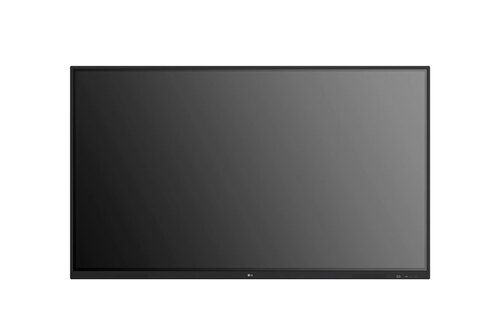
Tell us about your requirement

Price:
Quantity
Select Unit
- 50
- 100
- 200
- 250
- 500
- 1000+
Additional detail
Mobile number
Email

More Products in Interactive White Board Category
75inch LG Interactive Flat Panel TR3ER
Price 105000.0 INR / Piece
Minimum Order Quantity : 1 Piece
Color : Black
Product Type : Interactive Flat Panel
Voltage : 100240V
Power Supply : AC 100240V, 50/60Hz
65inch LG Interactive Flat Panel TR3ER
Price 90000.0 INR / Piece
Minimum Order Quantity : 1 Piece
Color : Black
Product Type : Interactive Flat Panel
Voltage : 100240V
Power Supply : AC 100240V, 50/60Hz
Samsung WA75C Interactive Flat Panel
Price 125000 INR / Piece
Minimum Order Quantity : 1 Piece
Color : Black
Product Type : Samsung WA75C Interactive Flat Panel
Voltage : 220 Volt (v)
Power Supply : Electric
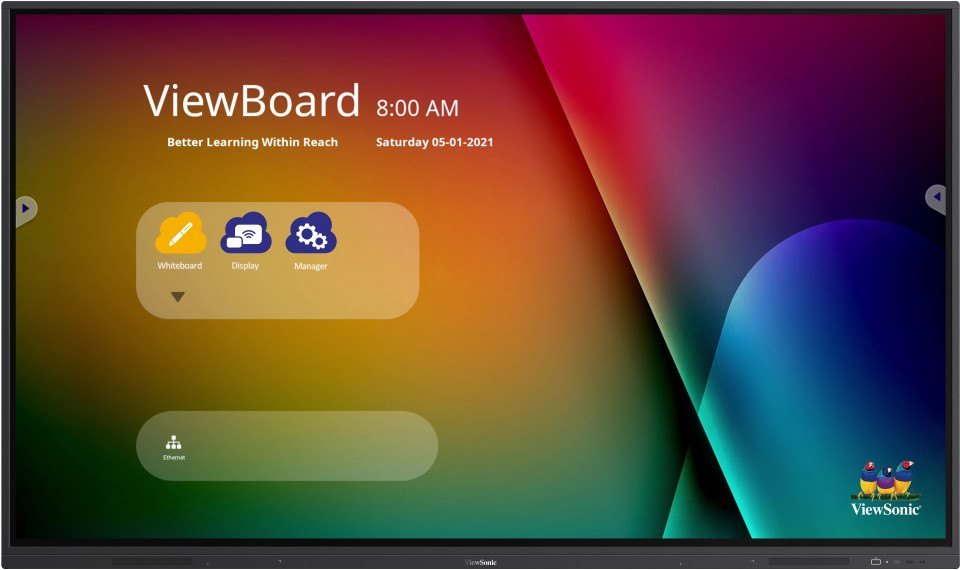
Viewsonic Interactive Flat Panel IN6503
Price 95000.0 INR / Piece
Minimum Order Quantity : 1 Piece
Color : Black
Product Type : Interactive Flat Panel
Voltage : 100240 V
Power Supply : AC 100240V, 50/60Hz


- B No. 67, Ganesh Chandra Avenue -Ground Floor, Near Hind Cinema,Kolkata - 700013, West Bengal, India
- Phone : 08071781754


- Mr Ashwin Jaiswal (Proprietor)
- Mobile : 08071781754
-
 Send Inquiry
 Send Inquiry
TECHNO VIBEZ
All Rights Reserved.(Terms of Use)
Developed and Managed by Infocom Network Private Limited.
Developed and Managed by Infocom Network Private Limited.

