


 Send Inquiry
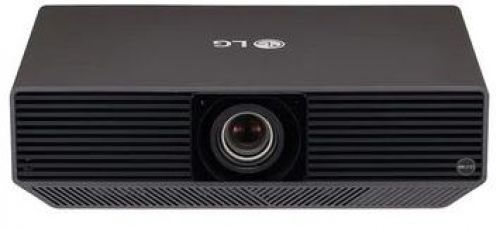
Optoma Projector - Zu516sa
Price 250000 INR/ Piece
MOQ : 1 Piece
Optoma Projector - Zu516sa Specification
- Accuracy
- Up to ±1 pixel alignment
- Illumination
- High-efficiency laser
- Working Area
- Up to 300 inch screen
- Type
- Laser Projector
- Use
- Education, Conference Hall
- Portable
- Yes (Ceiling/Wall Mount Supported)
- Brightness
- 5000 ANSI Lumens
- Resolution
- 1920 x 1200
- Projection Distance
- 1.2m - 12m
- Lamp
- Laser Phosphor Light Source
- Lens
- Manual zoom and focus
- Contrast Ratio
- 300,000:1
- Pictures Size
- 30-300
- Keystone
- Vertical +/- 30°
- Power
- 470W max
- Voltage
- 100-240V AC
- Operating Temperature
- 0°C to 40°C
- Color
- Matte Black
- Network Control
- Crestron, Extron, AMX compatible
- Throw Ratio
- 1.2-2.13:1
- 3D Capability
- Supports DLP-Link 3D
- Speaker
- 10W built-in
- Aspect Ratio
- 16:10
- Input Ports
- HDMI x2, VGA, RJ45, USB-A
- Noise Level
- 32dB (Eco mode)
- Mounting Options
- Ceiling, Wall, Table
- Weight
- 8.8 kg
Optoma Projector - Zu516sa About
Optoma Projector - Zu516sa
Focusing on its brightness, worlds smallest and lightest compact design and useful vertical lens shift in the 5,000 to 6,000 lumens class, the ZU516SA is offering best value for the entry professional installation market. This projector is perfect for those applications that simply require the brightness level, ease of installation, with minimum maintenance for up to 30,000 hours**. Delivering outstanding reliability, high intensity brightness, compact design, stunning colors and spectacular image quality, The ZU516SA is precision engineered to power larger than life experiences.
Exceptional Clarity and Flexibility
Featuring a high-resolution 1920 x 1200 WUXGA display and 5000 ANSI lumens, the Optoma ZU516SA delivers vivid, detailed visuals suitable for conference halls and classrooms. Its versatile manual zoom lens allows for precise adjustments, while the ceiling, wall, or table mounting options provide installation freedom.
Advanced Connectivity and Control
With dual HDMI ports, VGA, RJ45, and USB-A inputs, the projector supports a multitude of devices and content sources. Integrated compatibility with Crestron, Extron, and AMX systems ensures streamlined management for networked setups, making it easy to control and monitor across large facilities.
Reliable Performance and Low Maintenance
The ZU516SAs high-efficiency laser phosphor light source ensures up to 30,000 hours of virtually maintenance-free use. Its robust design operates effectively within a temperature range of 0C to 40C, and the eco mode keeps noise levels as low as 32dB for undisturbed presentations.
FAQs of Optoma Projector - Zu516sa:
Q: How do I connect devices to the Optoma ZU516SA projector?
A: You can connect a wide range of devices via the projectors dual HDMI ports, VGA input, USB-A, or RJ45 network port. This allows for easy integration with laptops, media players, computers, and network systems.Q: What type of environments is the ZU516SA best suited for?
A: The ZU516SA is ideal for large meeting spaces such as conference halls, lecture theaters, and classrooms. Its high brightness and flexible installation options make it effective in both dim and well-lit settings.Q: When should I use the vertical keystone adjustment feature?
A: The vertical keystone correction (30) should be used when the projector is not perfectly aligned with the center of the screen, enabling you to correct image distortion and achieve a perfectly rectangular display.Q: Where can I mount the projector for optimal use?
A: The projector supports ceiling, wall, or table mounting, allowing you to choose the optimal setup based on your room layout and audience size. Ensure a projection distance between 1.2m and 12m for image sizes from 30 to 300 inches.Q: What is the process for enabling DLP-Link 3D?
A: To use 3D projection, connect a compatible 3D source to the projector and ensure viewers have DLP-Link 3D glasses. The projector automatically syncs with DLP-Link 3D content for immersive visuals.Q: What are the benefits of the laser phosphor light source?
A: The laser phosphor light source offers extended operational life, consistent brightness, and reduced maintenance compared to traditional lamps, with a lifespan of up to 30,000 hours, making it reliable for daily use.Q: How does network control improve projector management?
A: Network control via Crestron, Extron, and AMX systems simplifies remote monitoring, scheduling, and adjustments, making it efficient to manage multiple projectors within an institution or business environment.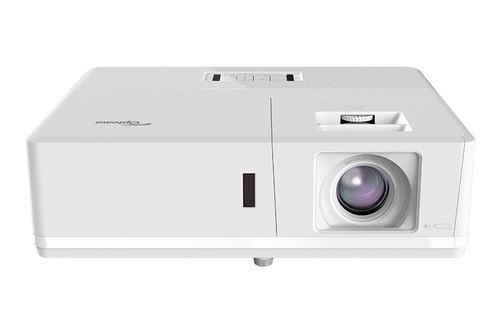
Tell us about your requirement

Price:
Quantity
Select Unit
- 50
- 100
- 200
- 250
- 500
- 1000+
Additional detail
Mobile number
Email

More Products in Smart Projectors Category
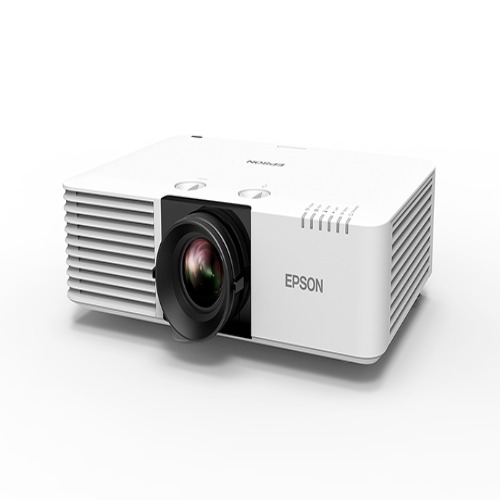
Epson EB-L530U
Price 165000.0 INR / Piece
Minimum Order Quantity : 1 Piece
Brightness : 5200 lumens
Contrast Ratio : 2,500,000:1
Resolution : WUXGA (1920 x 1200)
Use : Other, Education, Large Venue
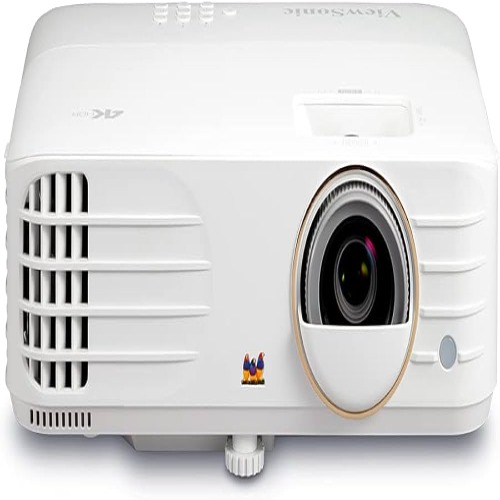
Viewsonic Home theater projector
Price 100000.0 INR / Piece
Minimum Order Quantity : 1 Piece
Brightness : 3,500 ANSI Lumens
Contrast Ratio : 22,000:1
Resolution : Full HD 1920 x 1080 (1080p)
Use : Other, Multimedia
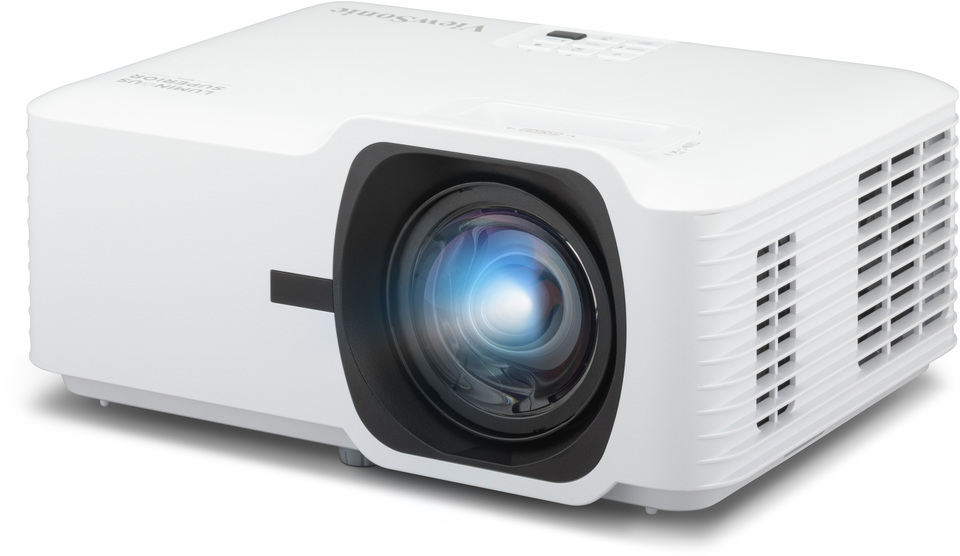
Viewsonic LSD400HD Projector
Price 75000.0 INR / Piece
Minimum Order Quantity : 15 Pieces
Brightness : 4000 lumens
Contrast Ratio : 3000:1
Resolution : 1920 x 1080 (Full HD)
Use : Other, Home Theater
BU70QGA (7000 lumens, WUXGA, Laser, inbuilt Wi-Fi)
Price 350000.0 INR
Minimum Order Quantity : 1 Piece
Brightness : 7000 lumens
Contrast Ratio : 3,000,000:1
Resolution : Full HD 1080p
Use : CRT


- B No. 67, Ganesh Chandra Avenue -Ground Floor, Near Hind Cinema,Kolkata - 700013, West Bengal, India
- Phone : 08071931135


- Mr Ashwin Jaiswal (Proprietor)
- Mobile : 08071931135
-
 Send Inquiry
 Send Inquiry
TECHNO VIBEZ
All Rights Reserved.(Terms of Use)
Developed and Managed by Infocom Network Private Limited.
Developed and Managed by Infocom Network Private Limited.

