


 Send Inquiry
Steinberg UR22C Recording Pack
Price 26000 INR/ Piece
MOQ : 1 Piece
Steinberg UR22C Recording Pack Specification
- HDMI
- No
- Auto Memory
- No
- FM Turner
- NO
- USB Port
- Yes (USB-C)
- Remote Controlled
- NO
- Bluetooth
- NO
- Channels
- 2-In/2-Out
- Aux Option
- Yes
- Product Type
- Audio Interface Recording Pack
- Material
- Metal Chassis
- Input Power
- USB 3.0 Bus Powered / 5V DC
- Frequency Range (Hz)
- 20 - 22000 Hertz (HZ)
- Earphone/Headphones Plugin
- 1 x 1/4 Jack Stereo Headphone Output
- Include Display
- No
- Game Function
- No
- Dimension (L*W*H)
- 62.6 x 62.6 x 18.5 Inch (in)
- Weight (kg)
- 1.0 Kilograms (kg)
- Color
- Black
- Phantom Power
- +48 V
- Included Accessories
- XLR Cable, USB Cable, Software Download
- Preamp Type
- D-PRE Class-A Mic Preamps
- Compatibility
- Windows, macOS, iOS
- Instrument Input
- Hi-Z switchable
- Pad Switch
- Yes
- Included Software
- Cubase AI, Cubasis LE, WaveLab LE
- Power Supply
- USB-C Bus Power / external 5V DC
- Microphone Included
- ST-M01 Studio Condenser Microphone
- A/D Resolution
- 24-bit/192 kHz
- Maximum Input Level
- +24 dBu (Mic/Line)
- Outputs
- 2 x TRS Balanced
- Headphones Included
- ST-H01 Studio Monitoring Headphones
- MIDI In/Out
- Yes
- Inputs
- 2 x XLR/TRS combo (Mic/Line)
- Direct Monitoring
- Yes
- Loopback Function
- Yes
Steinberg UR22C Recording Pack About
The Steinberg UR22C RP Recording Pack bundles the company's UR22C interface with a Steinberg ST-M01 Studio Condenser Microphone, and a pair of Steinberg ST-H01 Headphones. The interface offers 32-bit converters for a wide dynamic range, and records at sample rates of up to 192 kHz for capturing detailed sonic nuances.
Use the microphone for recording your voice and the headphones for monitoring while recording or mixing. Whether you are recording yourself at the home studio or want to track high-quality audio on the road, the UR22C Recording Pack will come in handy for anyone who wishes to record music.
Versatile Studio Solution
Designed for artists, musicians, and producers, the UR22C Recording Pack combines high-quality hardware with versatile connectivity options. With dedicated microphone and instrument inputs, Class-A preamps, and included monitoring headphones, users can record vocals or instruments with clarity and depth. The rugged metal chassis ensures durability for both studio and mobile setups.
Seamless Integration and Workflow
The UR22C integrates with popular DAWs like Cubase AI and Cubasis LE, making it simple to capture, mix, and edit music regardless of skill level. Direct monitoring allows for real-time audio feedback, while the loopback function supports streaming and podcasting. With USB-C connectivity and cross-platform compatibility, setting up your recording environment is efficient and straightforward.
Essential Accessories and Complete Pack
Every item needed for immediate recording is included: the ST-M01 condenser microphone, ST-H01 headphones, XLR and USB cables, plus bundled software. Phantom power is provided for condenser mics, while headphone output and balanced TRS outputs round out monitoring capabilities. The packs compact size and lightweight build are ideal for studios at home or on the go.
FAQs of Steinberg UR22C Recording Pack:
Q: How do I set up the Steinberg UR22C Recording Pack for first use?
A: Start by connecting the UR22C interface to your computer using the included USB-C cable. Plug in the ST-M01 condenser microphone with the XLR cable and connect the ST-H01 headphones to the 1/4-inch stereo headphone output. Install the bundled software using the provided download links, and enable phantom power (+48 V) if using the condenser microphone. Follow the setup steps for Cubase AI, Cubasis LE, or WaveLab LE to begin recording.Q: What are the main benefits of using the ST-M01 condenser microphone and ST-H01 headphones included in the pack?
A: The ST-M01 condenser microphone is engineered to capture rich, detailed audio, making it ideal for vocal and instrument recordings. The ST-H01 monitoring headphones provide a flat frequency response for accurate mix evaluations, ensuring confidence in your recorded sound. Both are tailored for studio-grade quality and seamless integration with the UR22C interface.Q: When should I use the Hi-Z input on the UR22C?
A: The Hi-Z input is designed for high-impedance instruments, such as electric guitars or basses. Switch the input to Hi-Z mode when directly connecting these instruments to the UR22C, ensuring optimal sound quality and level matching for recording performances without additional equipment.Q: Where can I use the UR22C Recording Pack effectively?
A: The UR22C Recording Pack is ideal for home studios, mobile setups, live streaming, and on-location recording. Its compact design, durable metal chassis, and bus-powered USB-C connectivity enable versatile usage in any environment, including apartments, rehearsal spaces, or remote workstations.Q: What is the direct monitoring function, and how does it improve my recording process?
A: Direct monitoring on the UR22C provides zero-latency audio feedback by letting you hear input signals in real time while recording. This helps musicians, podcasters, and vocalists monitor their performance without delay, improving timing and accuracy during recording sessions.Q: How do I access and use the included software suite?
A: After registering your product, download Cubase AI, Cubasis LE, and WaveLab LE from the supplied links or Steinberg website. These applications offer multitrack recording, editing tools, effects, and mixing capabilities. Follow the instructions for installation and activation, and then connect the UR22C for seamless integration with your preferred DAW.Q: What makes the D-PRE Class-A mic preamps unique compared to standard preamps?
A: D-PRE Class-A mic preamps are designed to deliver transparent, natural sound with extensive dynamic range and low noise. This ensures recordings maintain clarity and detail, outperforming standard preamps commonly found in entry-level audio interfaces.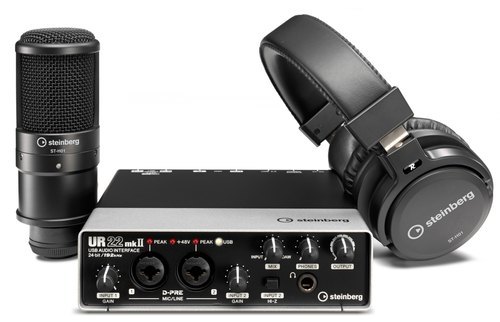
Tell us about your requirement

Price:
Quantity
Select Unit
- 50
- 100
- 200
- 250
- 500
- 1000+
Additional detail
Mobile number
Email

More Products in Studio Equipment Category
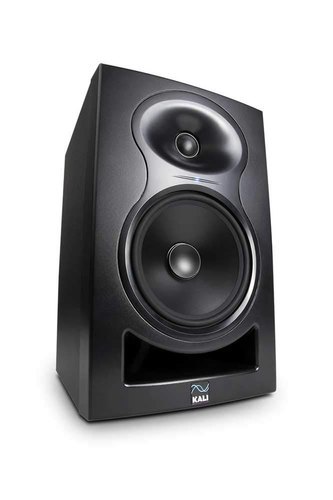
6.5" Inch Black Kali Audio Lp-6 Studio Monitor
Price 40000 INR / Pair
Minimum Order Quantity : 1 Piece
Weight (kg) : 7.0 Kilograms (kg)
Dimension (L*W*H) : 8.8 x 14.1 x 10.3 Inch (in)
Frequency Range (Hz) : 47 21000 Hertz (HZ)
USB Port : 1
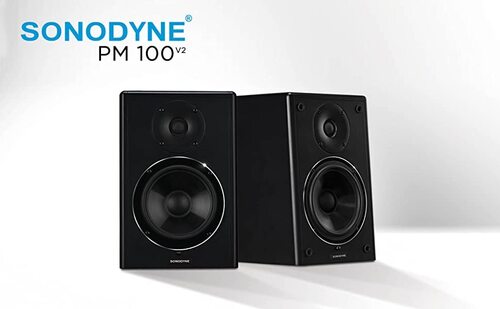
Sonodyne PM 100 V2 Production Monitor
Price 40000 INR / Pair
Minimum Order Quantity : 1 Pair
Weight (kg) : 10 Kilograms (kg)
Dimension (L*W*H) : 220 x 332 x 240 Millimeter (mm)
Frequency Range (Hz) : 45 Hz 24 kHz
USB Port : NO
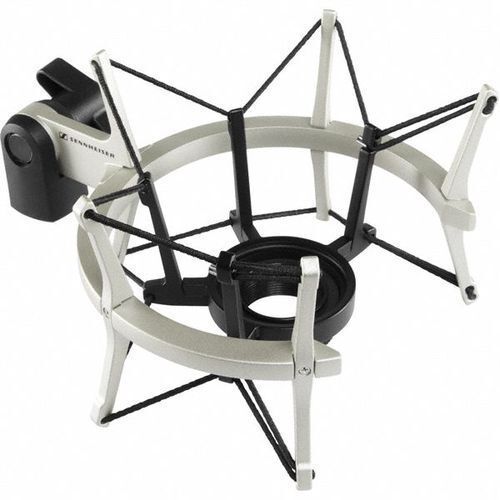
MKS4 Sennheiser Recording System
Price 22000 INR / Piece
Minimum Order Quantity : 1 Piece
Weight (kg) : 0.35 kg
Dimension (L*W*H) : 110 x 70 x 36 mm
Frequency Range (Hz) : 20 Hz 20 kHz
USB Port : Other, 1 x USB 2.0
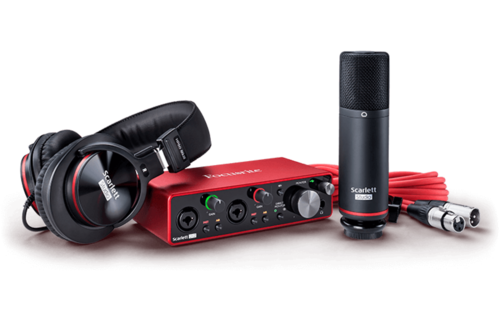
Focusrite Scarlett 2i2 Studio 3rd Gen Recording Bundle
Price 26000 INR / Set
Minimum Order Quantity : 1 Set
Weight (kg) : 450 Gram (g)
Dimension (L*W*H) : 5.65 x 3.77 x 1.71 Inch (in)
Frequency Range (Hz) : 20 20000 Hertz (HZ)
USB Port : Other, 1 x USBC


- B No. 67, Ganesh Chandra Avenue -Ground Floor, Near Hind Cinema,Kolkata - 700013, West Bengal, India
- Phone : 08071931135


- Mr Ashwin Jaiswal (Proprietor)
- Mobile : 08071931135
-
 Send Inquiry
 Send Inquiry
TECHNO VIBEZ
All Rights Reserved.(Terms of Use)
Developed and Managed by Infocom Network Private Limited.
Developed and Managed by Infocom Network Private Limited.

