


 Send Inquiry
Hikvision Interactive Flat Panel DS-D5B75RB/EL
Price 95000.0 INR/ Piece
MOQ : 1 Piece
Hikvision Interactive Flat Panel DS-D5B75RB/EL Specification
- Power Consumption
- 370W
- Usage
- Educational and Business Presentation
- Power Supply
- AC 100-240V, 50/60Hz
- Voltage
- 100-240V
- Product Type
- Interactive Flat Panel
- Material
- Aluminum Alloy Frame with Tempered Glass Surface
- Size
- 75 Inch
- Style
- Modern Slim Bezel
- Weight
- Approx. 52 kg
- Feature
- 4K UHD Resolution, Multi-touch, Built-in Android System, Screen Mirroring
- Color
- Black
- Audio Output
- 2 x 16W Built-in Speakers
- Aspect Ratio
- 16:9
- Operating Temperature
- 0C to 40C
- Operating System
- Android 11.0 (Built-in), Windows (Optional via OPS Module)
- Display Technology
- LED Backlight
- Glass Type
- 4mm Anti-glare Tempered Glass
- Resolution
- 3840 x 2160 (4K Ultra HD)
- Touch Technology
- IR Touch, Up to 20 Point Multi-touch
- Brightness
- 350 cd/m2
- Contrast Ratio
- 1200:1
- Dimensions (W x H x D)
- 1702 x 1022 x 97 mm
- Mounting
- Wall Mount and Optional Stand
- Response Time
- 8 ms
- Net Weight
- 52 kg (approx.)
- Viewing Angle
- 178 (Horizontal/Vertical)
- RAM/ROM
- 4GB / 32GB
- Storage Temperature
- -20C to 60C
- Connectivity
- HDMI, VGA, USB, LAN, Wi-Fi
Hikvision Interactive Flat Panel DS-D5B75RB/EL About
- 8GB RAM/128GB STORAGE ANDROID-14
- UHD 4K display with resolution of 3840 2160.
- Anti-glare and anti-blocking design to ensure smooth interaction.
- Dual systems of Android and Windows (optional) saving cost and easy to use, video conference software are recommended to run under Windows system.
- Quick response, at most 40-point touch controls and smooth writing experience.
- Multi-button design in front, convenient for classroom use.
- Compatible with OPS/OPS-C devices, realizing smooth switch between built-in systems.
Crystal Clear 4K Visuals for Every Setting
Experience stunning clarity with 4K Ultra HD resolution and LED backlight technology. The 75-inch screen delivers vibrant colors and high brightness, while a wide 178 viewing angle ensures everyone in the room enjoys the same visual quality. Perfectly designed for classrooms or boardrooms, the anti-glare tempered glass surface minimizes reflection, providing uninterrupted viewing in any lighting.
Enhanced Collaboration via Powerful Multi-touch
The panel's IR touch technology supports up to 20-point multi-touch, making group work seamless. Whether you're conducting a brainstorming session or interactive lecture, multiple users can write, draw, and interact simultaneously. This feature fosters dynamic collaboration and maximizes group participation during presentations and discussions.
Built-in Android System and Flexible OS Options
The DS-D5B75RB/EL comes with Android 11.0 pre-installed, providing instant access to educational and business apps, multimedia playback, and annotation tools. For organizations needing broader compatibility, the optional OPS module lets you run Windows OS, further expanding your software possibilities. Manage files, connect devices, and run diverse applications from a single smart panel.
FAQ's of Hikvision Interactive Flat Panel DS-D5B75RB/EL:
Q: How do I connect external devices to the Hikvision Interactive Flat Panel?
A: You can connect laptops, media players, and other devices using the HDMI, VGA, or USB ports available on the panel. For internet access or network integration, utilize the built-in Wi-Fi or LAN port.Q: What is the process for switching between Android and Windows operating systems on this panel?
A: The panel features Android 11.0 by default. To use Windows, simply install the optional OPS module. Once installed, you can switch between the Android and Windows environments as needed through the interface settings.Q: Where can the panel be mounted, and are there alternative installation options?
A: The panel is designed for flexible installation. It can be wall-mounted using the provided kit for a sleek, integrated look, or placed on an optional stand if mobility is required within your environment.Q: What benefits does the 20-point multi-touch feature offer during presentations or teaching?
A: With up to 20 simultaneous touch points, multiple users can annotate, write, or interact with the content at once. This fosters real-time collaboration, encourages participation, and enhances the overall engagement in classrooms or meetings.Q: When is it ideal to use the interactive flat panel in business or educational settings?
A: This panel is ideal for interactive presentations, teamwork sessions, digital whiteboarding, lessons, and video conferencing. Its clarity, audio quality, and collaboration features make it suitable for modern classrooms and professional meeting rooms alike.Q: What ensures user safety and screen durability on the Hikvision DS-D5B75RB/EL?
A: The display features 4mm anti-glare tempered glass, which is both robust and scratch-resistant. This ensures the screen's longevity and safety during everyday use, even in high-traffic environments.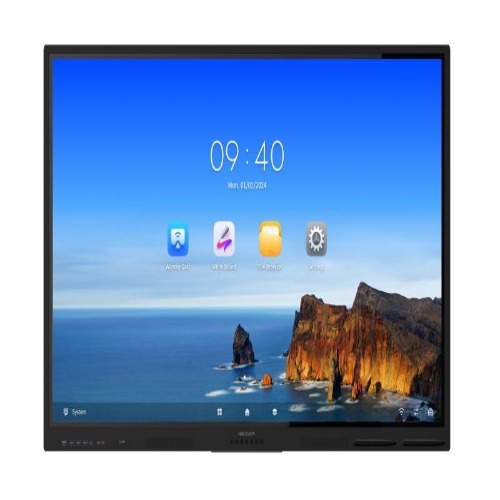
Tell us about your requirement

Price:
Quantity
Select Unit
- 50
- 100
- 200
- 250
- 500
- 1000+
Additional detail
Mobile number
Email

More Products in Interactive Panel Category
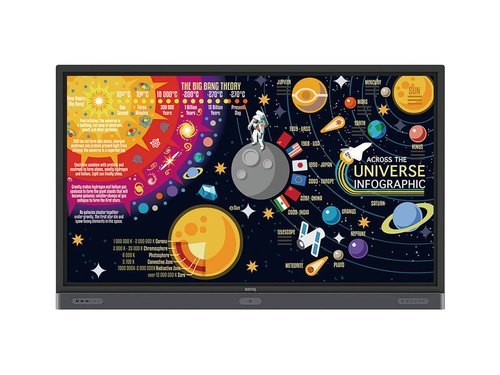
Rm7502k Benq Interactive Flat Panel
Price 160000.00 INR / Piece
Minimum Order Quantity : 1 Piece
Usage : Educational and Conference Room Applications
Power Supply : AC 100240V 50/60Hz
Color : Black
Voltage : 110V240V Volt (v)
Viewsonic Interactive Flat Panel IN9801-2-1N
Price 600000.0 INR / Piece
Minimum Order Quantity : 1 Piece
Usage : Educational, Corporate Presentations, Conference Rooms
Power Supply : AC 100240V, 50/60Hz
Color : Black
Voltage : 100240 Volts
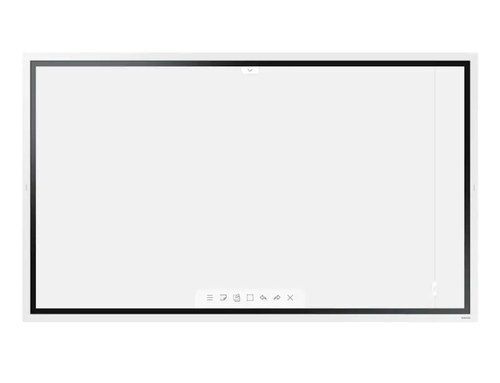
Samsung 65 inch Flip 2.0 Display Panel
Price 180000 INR / Piece
Minimum Order Quantity : 1 Piece
Usage : Education, Presentation, Office Collaboration
Power Supply : AC 100240V, 50/60Hz
Color : Black
Voltage : 100240V
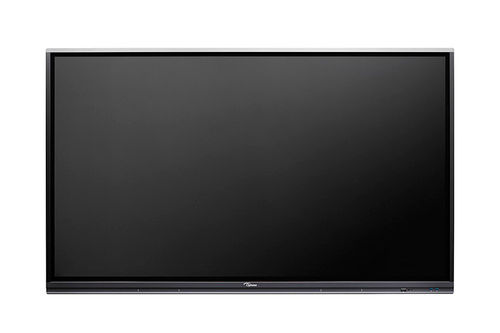
OPTOMA 3 SERIES IFP-65 5652RK
Price 120000 INR / Piece
Minimum Order Quantity : 1 Piece
Usage : Industrial
Power Supply : 100240V, 5060Hz
Color : Black


- B No. 67, Ganesh Chandra Avenue -Ground Floor, Near Hind Cinema,Kolkata - 700013, West Bengal, India
- Phone : 08071931135


- Mr Ashwin Jaiswal (Proprietor)
- Mobile : 08071931135
-
 Send Inquiry
 Send Inquiry
TECHNO VIBEZ
All Rights Reserved.(Terms of Use)
Developed and Managed by Infocom Network Private Limited.
Developed and Managed by Infocom Network Private Limited.

