


 Send Inquiry
Optoma Uhd35 4k Uhd Projector
Price 170000 INR/ Piece
MOQ : 1 Piece
Optoma Uhd35 4k Uhd Projector Specification
- Working Area
- Large Room
- Illumination
- High-brightness lamp
- Accuracy
- Color accuracy support with REC.709
- Type
- DLP Projector
- Use
- Business/Education
- Portable
- Yes
- Brightness
- 4000 ANSI Lumens
- Resolution
- 3840 x 2160
- Projection Distance
- 1.21 9.94 m
- Lamp
- 240W, up to 15,000 hrs Eco mode
- Lens
- F=1.94~2.23; f=15.84~17.44 mm, 1.1x Manual Zoom and Focus
- Contrast Ratio
- 12,000:1
- Pictures Size
- 33.1300
- Keystone
- Manual vertical 40
- Power
- Max 305W (Bright), <0.5W (Standby)
- Voltage
- AC 100240V, 50/60Hz
- Dimensions
- 315 x 270 x 118 mm
- Noise Level
- 26dB (Eco)
- Aspect Ratio
- 16:9 (native), 4:3 compatible
- Throw Ratio
- 1.5 1.66:1
- Input Ports
- 2x HDMI 2.0, 1x Audio Out, 1x USB-A, 1x S/PDIF
- Speaker
- 10W built-in
- Weight
- 3.98 kg
- Refresh Rate
- Up to 240Hz at 1080p
- HDR Compatibility
- HDR10 & HLG
- 3D Support
- Full 3D support
Optoma Uhd35 4k Uhd Projector About
Optoma Uhd35 4k Uhd Projector
Featuring the lightning-fast refresh rate and the low input lag, UHD35+ is perfectly quenching your desire for the ultimate home entertainment, no matter in movie watching or gaming. With true 4K UHD resolution, UHD35+ will bring the immersive cinema and gaming experiences up to 300 screen. The different display options also allows optimized performance in cinema mode, gaming mode, or 3D mode, delivering images and motions with ultimate smoothness and clarity.
Stunning 4K UHD Visuals
Experience spectacular image clarity and color vibrancy, thanks to the projectors 3840 x 2160 resolution, HDR compatibility, and REC.709 color support. Designed to handle both business presentations and immersive video entertainment, the UHD35 ensures detailed projections even in well-lit environments with its 4000 ANSI lumens of brightness.
Flexible Installation Options
Accommodate diverse room sizes with a throw ratio of 1.5 1.66:1 and picture size range from 33.1 up to 300 inches. The projector supports both vertical keystone correction (manual 40) and 1.1x manual zoom and focus adjustments, making it suitable for flexible installations in large venues or classrooms.
Connectivity and Performance
Equipped with 2 HDMI 2.0 ports, USB-A, S/PDIF, and audio output, the UHD35 integrates smoothly with modern AV setups. Enjoy high refresh rates up to 240Hz at 1080p, full 3D support, and crisp audio from the built-in 10W speaker for a complete projection solution.
FAQs of Optoma Uhd35 4k Uhd Projector:
Q: How do I connect the Optoma UHD35 projector to laptops or external devices?
A: The Optoma UHD35 provides two HDMI 2.0 ports for connecting laptops, Blu-ray players, or gaming consoles. You can also use the USB-A port for additional devices and the S/PDIF or audio out for external speakers if enhanced audio is needed.Q: What is the recommended picture size and projection distance for optimal viewing?
A: The projector can display images from 33.1 to 300 inches diagonally. For best results, place the projector between 1.21 and 9.94 meters from the screen or wall, adjusting the zoom and manual focus to achieve the desired image size and clarity.Q: When should I use Eco mode, and what are the benefits?
A: Eco mode reduces lamp brightness and noise (down to 26dB), extending lamp life up to 15,000 hours. Its recommended when energy efficiency and quieter operation are priorities, such as during extended presentations or long meetings.Q: Where is the Optoma UHD35 best utilized?
A: This projector is ideal for large rooms in business or educational environments, but its portability and high brightness also make it suited for home theaters or events where large, vivid displays are necessary.Q: What process is involved in setting up the projector for 3D content?
A: To view 3D content, connect a compatible 3D source via HDMI, enable 3D mode through the projectors settings, and use active 3D glasses designed for DLP projectors. Ensure content and source both support 3D playback.Q: How does the projector support color accuracy for presentations and movies?
A: The UHD35 is engineered with REC.709 color accuracy, crucial for vibrant and true-to-life color reproduction in both video presentations and cinematic experiences.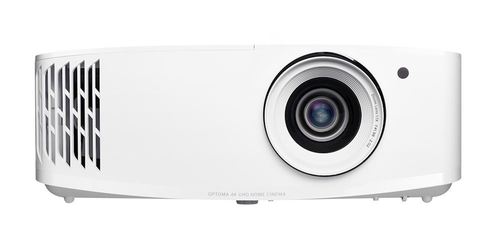
Tell us about your requirement

Price:
Quantity
Select Unit
- 50
- 100
- 200
- 250
- 500
- 1000+
Additional detail
Mobile number
Email

More Products in Smart Projectors Category
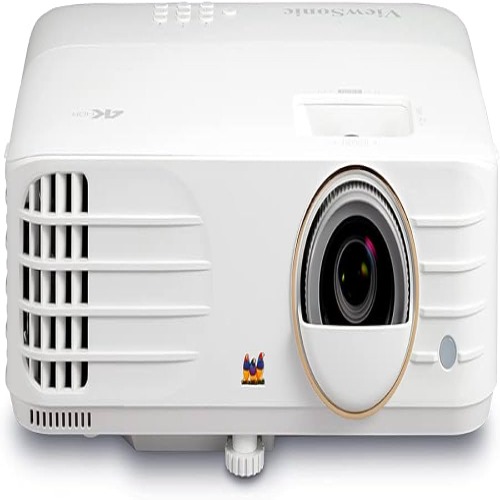
Viewsonic Cinema Projector
Price 90000.0 INR / Piece
Minimum Order Quantity : 1 Piece
Brightness : 3600 Lumens
Contrast Ratio : 3000:1
Resolution : 1920x1080 (Full HD)
Lens : F=2.6, f=7.22 mm manual focus
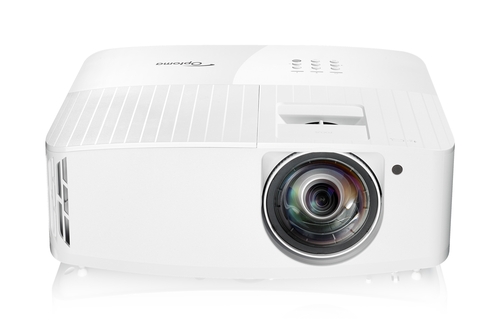
Optoma GT2160HDR
Price 120000 INR / Piece
Minimum Order Quantity : 1 Piece
Brightness : 4,000 ANSI Lumens
Contrast Ratio : 1,200,000:1
Resolution : 4K UHD (3840 x 2160)
Lens : F=1.94, f=10.21mm; Fixed Focus
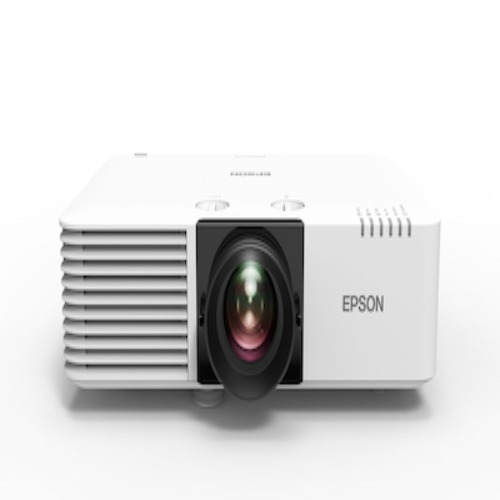
Epson EB-L570U
Price 198000.0 INR / Piece
Minimum Order Quantity : 1 Piece
Brightness : 5,200 lumens
Contrast Ratio : 2,500,000:1
Resolution : WUXGA (1920 x 1200)
Lens : Manual focus, 1.6x optical zoom, F=1.51.7, f=20.031.8 mm
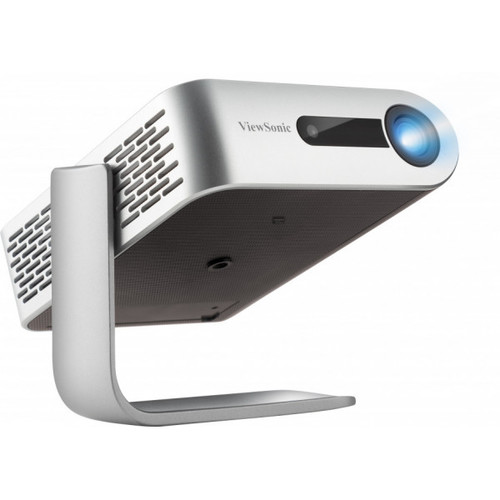
Viewsonic M1+_G2 Smart LED Portable Projector
Price 32500 INR / Piece
Minimum Order Quantity : 1 , , Piece
Brightness : 300 Lumens
Contrast Ratio : 120000:1
Resolution : 854x480
Lens : F=1.7, f=5.5mm


- B No. 67, Ganesh Chandra Avenue -Ground Floor, Near Hind Cinema,Kolkata - 700013, West Bengal, India
- Phone : 08071931135


- Mr Ashwin Jaiswal (Proprietor)
- Mobile : 08071931135
-
 Send Inquiry
 Send Inquiry
TECHNO VIBEZ
All Rights Reserved.(Terms of Use)
Developed and Managed by Infocom Network Private Limited.
Developed and Managed by Infocom Network Private Limited.

