


 Send Inquiry
Viewsonic M1 Mini Portable Projector
Price 17000 INR/ Piece
MOQ : 1 , , Piece
Viewsonic M1 Mini Portable Projector Specification
- Brightness
- 120 Lumens
- Resolution
- 854 x 480
- Lens
- F=1.7, f=7.5mm
- Contrast Ratio
- 500:1
- Keystone
- +/- 40° (V)
Viewsonic M1 Mini Portable Projector About
TheViewSonic M1 mini is a pocket-sized projector that delivers convenientaudiovisual entertainment anywhere. With the light weight, ultra-mini size andswappable coloured top, it serves as a personal pocket cinema for your everydaylife. The built-in battery, JBL speaker, and the ability to be charged by apower bank, allows for easy outdoor or on the go use. The adjustable standoffers flexible projection angles that can satisfy any viewing needs - evenceiling projection. The ViewSonic M1 mini pocket cinema is the ideal option toenjoy audiovisual entertainment for your everyday lifeEffortless Portability
Designed for ultimate mobility, the M1 Mini Portable Projector slips easily into your bag and is perfect for spontaneous movie nights or mobile presentations. The devices light weight and compact shape enable hassle-free transport anywhere in India.
Simple Setup and Operation
Set up is easythe vertical keystone correction and intuitive controls allow you to quickly start your presentations or screenings. Its adjustable lens and user-friendly interfaces cater to various projection needs, making it suitable for users of all experience levels.
FAQs of Viewsonic M1 Mini Portable Projector:
Q: How can I set up the Viewsonic M1 Mini Portable Projector for use?
A: To set up the M1 Mini, position the projector facing your desired surface, connect it to your source device, and use the +/- 40 vertical keystone feature to adjust image alignment. Its plug-and-play design makes setup straightforward, requiring minimal technical experience.Q: What is the recommended environment for optimal projection quality?
A: For best results, use the projector in low-light or dark environments. Its 120 lumens brightness is suited for dimly lit rooms, ensuring clear visuals at the native resolution of 854 x 480.Q: Where can I purchase the Viewsonic M1 Mini Portable Projector in India?
A: The M1 Mini projector is available through authorized suppliers, traders, and electronics retailers across India. You can contact local distributors or check online marketplaces specializing in AV equipment.Q: When should I use the keystone correction function?
A: Utilize the vertical keystone correction (+/- 40) when the projected image appears distorted or not rectangular. Adjusting this function will align the image properly, especially if the projector is not placed directly perpendicular to the projection surface.Q: What are the benefits of choosing the Viewsonic M1 Mini for presentations or entertainment?
A: Its compact size, easy portability, and simple setup make it an excellent choice for mobile professionals, students, and entertainment enthusiasts. It allows for spontaneous screenings and presentations without the need for bulky equipment, making content sharing convenient.Q: How do I maintain optimal image clarity with this projector?
A: Regularly clean the lens to prevent dust accumulation, use the provided keystone correction for alignment, and ensure the device is placed at an appropriate distance from the projection surface for sharp images. Adjust the focus ring as needed.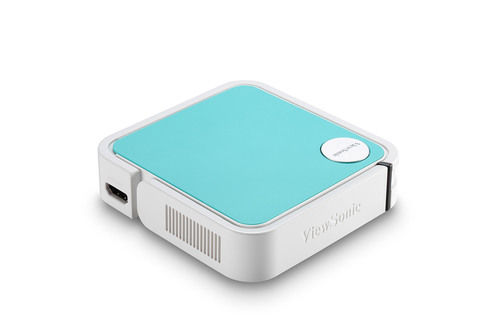
Tell us about your requirement

Price:
Quantity
Select Unit
- 50
- 100
- 200
- 250
- 500
- 1000+
Additional detail
Mobile number
Email

More Products in Smart Projectors Category
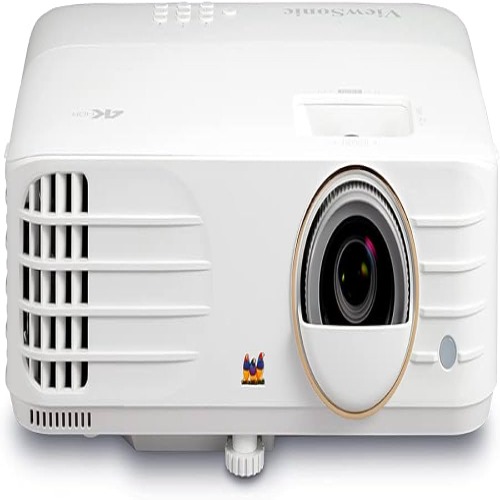
Viewsonic Cinema Projector
Price 90000.0 INR / Piece
Minimum Order Quantity : 1 Piece
Keystone : Vertical 40
Lens : F=2.6, f=7.22 mm manual focus
Contrast Ratio : 3000:1
Brightness : 3600 Lumens
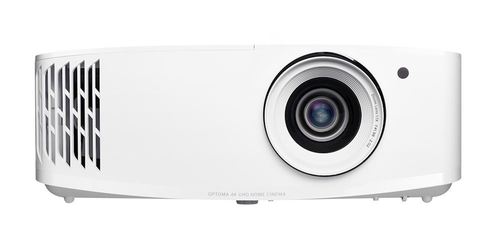
Optoma Uhd35 4k Uhd Projector
Price 170000 INR / Piece
Minimum Order Quantity : 1 Piece
Keystone : Manual vertical 40
Lens : F=1.94~2.23; f=15.84~17.44 mm, 1.1x Manual Zoom and Focus
Contrast Ratio : 12,000:1
Brightness : 4000 ANSI Lumens
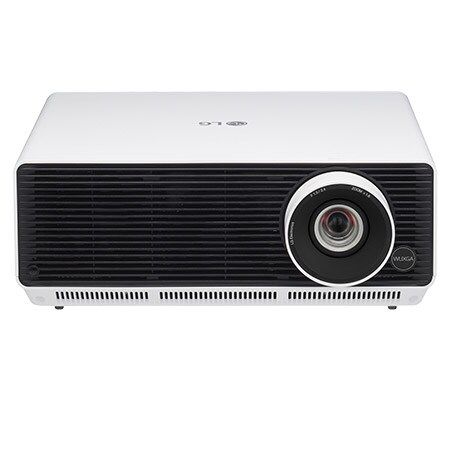
BF50RG- 5000 lumens, WUXGA, Laser, inbuilt Wi-Fi
Price 150000.0 INR
Minimum Order Quantity : 1 Piece
Keystone : Vertical 30 / Horizontal 30
Lens : 1.6x Manual zoom & focus
Contrast Ratio : 500,000:1
Brightness : 5000 lumens
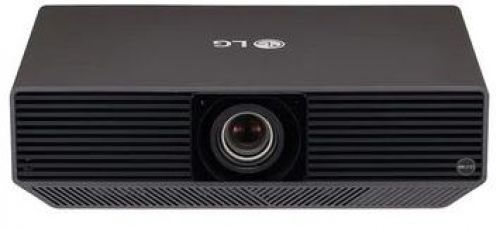
BU70QGA (7000 lumens, WUXGA, Laser, inbuilt Wi-Fi)
Price 350000.0 INR
Minimum Order Quantity : 1 Piece
Keystone : Auto / Manual Vertical & Horizontal
Lens : Manual Zoom / Focus
Contrast Ratio : 3,000,000:1
Brightness : 7000 lumens


- B No. 67, Ganesh Chandra Avenue -Ground Floor, Near Hind Cinema,Kolkata - 700013, West Bengal, India
- Phone : 08071931135


- Mr Ashwin Jaiswal (Proprietor)
- Mobile : 08071931135
-
 Send Inquiry
 Send Inquiry
TECHNO VIBEZ
All Rights Reserved.(Terms of Use)
Developed and Managed by Infocom Network Private Limited.
Developed and Managed by Infocom Network Private Limited.

