


 Send Inquiry
Steinberg Soundcard - UR12
MOQ : 1 Container
Steinberg Soundcard - UR12 Specification
- USB Port
- Yes, USB 2.0
- Remote Controlled
- NO
- Aux Option
- No (Dedicated Line Input/Microphone input only)
- Bluetooth
- NO
- FM Turner
- NO
- Auto Memory
- No
- Channels
- 2-in, 2-out
- HDMI
- No
- Product Type
- Audio Interface/Soundcard
- Material
- Metal chassis with plastic side panels
- Input Power
- DC 5V, 500 mA (USB powered)
- Frequency Range (Hz)
- 20-22000 Hertz (HZ)
- Earphone/Headphones Plugin
- Yes, 1/4 (6.3 mm) stereo jack
- Include Display
- No
- Game Function
- No
- Dimension (L*W*H)
- 6.3 x 5.7 x 1.8 Inch (in)
- Weight (kg)
- 850 Gram (g)
- Color
- Silver/Black
- Direct Monitoring
- Yes, hardware switch
- Included Software
- Cubase AI, Cubasis LE (iPad)
- Line Output
- 2x RCA (L/R)
- Maximum Sampling Rate
- 192 kHz
- Phantom Power
- +48V for XLR input
- Supported Operating Systems
- Windows, macOS, iOS
- Microphone Input
- 1x XLR (with D-PRE mic preamp)
- Line Input
- 1x TS (Hi-Z instrument input)
- ADC Resolution
- 24-bit
- Power Supply
- USB bus-powered (can be used with external USB power supply)
Steinberg Soundcard - UR12 About
The UR12 from Steinberg is a two input/two output USB audio interface featuring a single D-PRE microphone preamp with phantom power, housed in a compact and rugged chassis. The 24-bit/192 kHz capable converters provide excellent detail and dynamics, and the unit is compatible with most major audio related software. Cubase AI software for recording, composing, editing and mixing is included.
When connected to Apple's iPad (requires optional accessories), the interface provides a portable and intuitive production system. While this application requires an external power supply to function, the 5 VDC input can also be used to provide power stability in other situations. Latency-free hardware monitoring and a loopback function for Internet streaming make this compact interface an attractive choice where large channel counts are not needed.
Professional Audio Quality
Achieve studio-level recordings on the go with the UR12s 24-bit resolution and 192 kHz sampling rate. The renowned D-PRE mic preamp captures clean, transparent vocals and instruments, making the UR12 a solid choice for home studios, podcasters, and traveling musicians seeking uncompromised sound fidelity.
Versatile Connectivity Options
Connect a microphone via XLR or a guitar with the Hi-Z instrument inputsimultaneously. Monitor your sound directly with zero latency thanks to a dedicated hardware switch. RCA line outputs and a standard headphone jack ensure convenient listening and flexible routing for various setups.
Seamless Integration & Portability
The UR12 runs efficiently on USB power and supports external power sources for mobile use. Its sturdy metal construction ensures lasting durability, while the compact design enables effortless transport. Its compatible with popular operating systems and includes powerful music production software to jumpstart your creativity.
FAQs of Steinberg Soundcard - UR12:
Q: How do I connect a microphone and an instrument to the Steinberg UR12?
A: To connect a microphone, use the XLR input on the front panel and enable phantom power (+48V) if your mic requires it. For instruments like guitar or bass, plug your Hi-Z instrument cable into the 1/4 inch TS input. Both inputs can be used simultaneously.Q: What benefits does the direct monitoring feature provide?
A: The direct monitoring hardware switch enables you to listen to your input signal with zero latency, making it easier to record and perform without delay commonly caused by computer processing.Q: When should I use an external USB power supply with the UR12?
A: Use an external USB power supply when connecting the UR12 to an iPad or other mobile devices that may not provide sufficient power through their USB ports. This ensures stable operation in every environment.Q: What operating systems does the Steinberg UR12 support?
A: The UR12 is compatible with Windows, macOS, and iOS systems, supporting a wide range of computers and mobile devices for flexible studio setups.Q: Where can I monitor my recordings on the UR12?
A: You can monitor your recordings using the 1/4 inch (6.3 mm) stereo headphone jack located on the front panel or by connecting speakers to the dual RCA (L/R) line outputs on the back.Q: What software is included with the UR12, and how does it support my production process?
A: The UR12 comes with Cubase AI for desktop recording on Windows/macOS and Cubasis LE for mobile music creation on iPad. Both applications provide essential tools for multi-track recording, editing, and mixing, streamlining the music production workflow.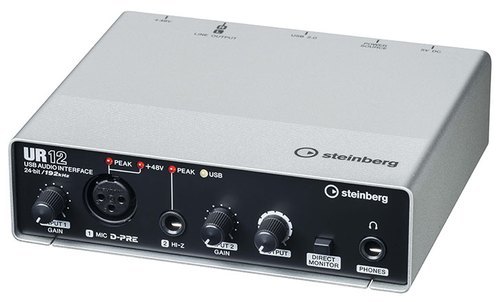
Tell us about your requirement

Price:
Quantity
Select Unit
- 50
- 100
- 200
- 250
- 500
- 1000+
Additional detail
Mobile number
Email

More Products in Studio Equipment Category
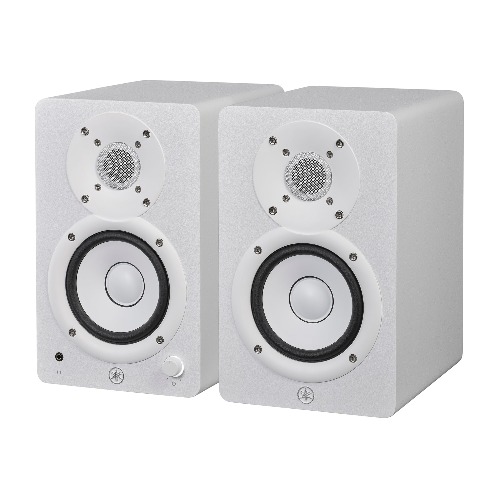
Yamaha HS4 W
Price 22500.0 INR / Pair
Minimum Order Quantity : 10 Pairs
Dimension (L*W*H) : 147 x 233 x 197 mm
Product Type : Powered Studio Monitor
USB Port : 1
Bluetooth : 1
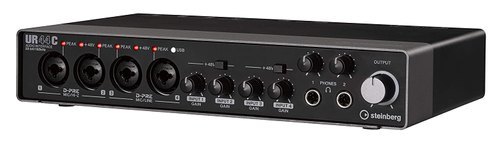
Steinberg Soundcard - UR44C
Price 25000 INR / Piece
Minimum Order Quantity : 1 Piece
Dimension (L*W*H) : 9.9 x 6.3 x 1.9 Inch (in)
Product Type : Steinberg Soundcard UR44C
USB Port : 1
Bluetooth : 1
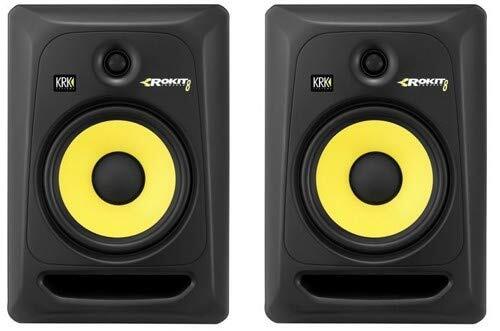
KRK Rokit 8 Studio Monitor
Price 56000 INR / Pair
Minimum Order Quantity : 1 Pair
Dimension (L*W*H) : 309 x 266 x 400 Millimeter (mm)
Product Type : Active Studio Monitor
USB Port : NO
Bluetooth : NO
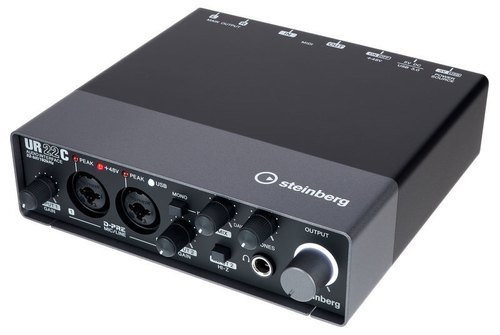
UR22C Steinberg Soundcard
Price 14000 INR / Piece
Minimum Order Quantity : 1 Piece
Dimension (L*W*H) : 6.26 x 6.26 x 1.85 Inch (in)
Product Type : USB Audio Interface
USB Port : Other, USB 3.0/USB TypeC
Bluetooth : NO


- B No. 67, Ganesh Chandra Avenue -Ground Floor, Near Hind Cinema,Kolkata - 700013, West Bengal, India
- Phone : 08071931135


- Mr Ashwin Jaiswal (Proprietor)
- Mobile : 08071931135
-
 Send Inquiry
 Send Inquiry
TECHNO VIBEZ
All Rights Reserved.(Terms of Use)
Developed and Managed by Infocom Network Private Limited.
Developed and Managed by Infocom Network Private Limited.

