


 Send Inquiry
Pioneer DDJ-XP1 DJ Controller
Price 30690 INR/ Piece
MOQ : 1 Piece
Pioneer DDJ-XP1 DJ Controller Specification
- HDMI
- No
- Auto Memory
- No
- Bluetooth
- NO
- USB Port
- USB Type-B
- FM Turner
- NO
- Aux Option
- NO
- Remote Controlled
- NO
- Channels
- Controller (No Audio Interface)
- Product Type
- DJ Controller
- Material
- Plastic
- Input Power
- USB Bus Powered (USB Type-B)
- Earphone/Headphones Plugin
- No
- Include Display
- No
- Game Function
- No
- Dimension (L*W*H)
- 3.9 x 16.4 x 12 Inch (in)
- Weight (kg)
- 1.5 Kilograms (kg)
- Color
- Black
- Warranty
- 1 Year
- Controller Type
- Add-on controller for DJ software
- Display LEDs
- RGB LED illumination
- Pad type
- 32 Multi-colored Performance Pads
- Software Compatibility
- rekordbox DJ, rekordbox DVS
- Touch Strips
- Touch strip for Slide FX
- Compatible Operating Systems
- Windows 7/8.1/10, Mac OS 10.11/10.12
- Pad Modes
- Hot Cue, Pad FX, Beat Jump, Sampler, Keyboard, Silent Cue
- Sampling Rate
- No onboard audio interface
- Included Accessories
- USB Cable, Operating Instructions
- Connectivity
- USB Type-B
Pioneer DDJ-XP1 DJ Controller About
Pioneer Ddj-xp1 Dj Controller
Whether you use turntables, multi-players or external devices, the DDJ-XP1 will bring a whole new sphere of creative possibilities to your DJ performances. This robust add-on controller with intuitive layout and 32 performance pads is designed to get the most out of rekordbox dj and rekordbox dvs. So add the DDJ-XP1 to your setup and enjoy tactile control over Hot Cues, Pad FX, Beat Jump, Sampler, Beat Loop or the new Key Shift and Keyboard modes.
Unleash Creative Mixing
The DDJ-XP1s 32 multi-colored pads facilitate expressive live remixing and performance, enabling DJs to trigger cues, samples, effects, and loops with vibrant visual feedback. Its diverse pad modes boost creative options and workflow, making every set unique.
Flexible Software Integration
Specially designed for rekordbox DJ and rekordbox DVS, the XP1 controller seamlessly integrates with professional DJ software. This compatibility provides powerful performance options, ideal for both beginners and experienced DJs seeking enhanced control.
FAQs of Pioneer DDJ-XP1 DJ Controller:
Q: How does the touch strip for Slide FX enhance DJ performances on the DDJ-XP1?
A: The touch strip for Slide FX allows DJs to manipulate effects dynamically during sets by sliding their finger along the strip. This enables smooth, expressive transitions and real-time effect modulation, adding depth and creativity to performances.Q: What software is the DDJ-XP1 compatible with, and what benefit does this offer?
A: The DDJ-XP1 is compatible with rekordbox DJ and rekordbox DVS. This allows users to access advanced DJ features, integrate samples, effects, and cues, and ensures broad support for professional performance and practice.Q: When would you use the different pad modes on the DDJ-XP1?
A: Pad modes like Hot Cue, Pad FX, Beat Jump, Sampler, Keyboard, and Silent Cue are used during live performances to trigger cues, control effects, remix tracks, play samples, or mute tracks creatively. Each mode serves a unique purpose, providing a versatile set of creative tools.Q: Where should the DDJ-XP1 be connected to operate effectively?
A: The DDJ-XP1 connects to your computer via USB Type-B and is used as an add-on controller alongside compatible DJ software. It does not include an onboard audio interface, so it should be paired with an existing DJ setup for full functionality.Q: What is the setup process for the DDJ-XP1 DJ controller?
A: To set up the DDJ-XP1, connect it to your computer using the supplied USB cable, install rekordbox DJ or rekordbox DVS, and follow the operating instructions. It is USB bus powered, so no external power supply is required.Q: Are headphones or external audio devices supported by the DDJ-XP1?
A: No, the DDJ-XP1 does not have an onboard audio interface or earphone/headphone output. It is designed as a performance pad controller to be used with compatible DJ software and audio hardware.Q: What advantages does the RGB LED illumination provide for DJs?
A: The RGB LED illumination on the performance pads provides clear visual feedback for cues, sample banks, and effects. This helps DJs monitor actions during low-light situations and adds an engaging visual element to performances.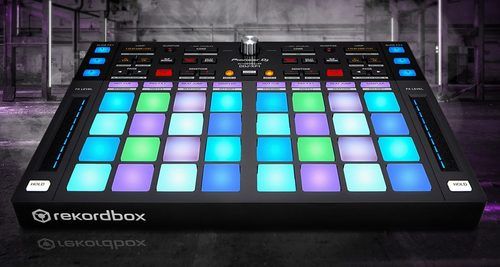
Tell us about your requirement

Price:
Quantity
Select Unit
- 50
- 100
- 200
- 250
- 500
- 1000+
Additional detail
Mobile number
Email

More Products in DJ Controller Category
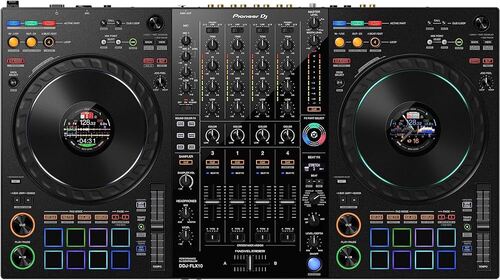
PIONEER DDJ-FLX10
Price 186390.0 INR / Piece
Minimum Order Quantity : 1 Piece
Color : Black
Weight (kg) : 6.7 kg
Product Type : DJ Controller
Channels : 4
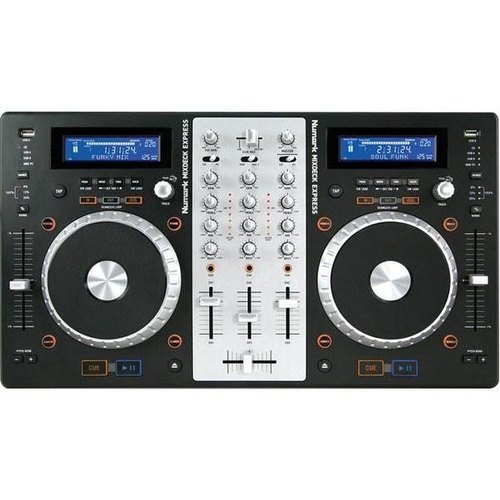
Numark Mixdeck Express All in One DJ Controller
Price 55000.0 INR / Piece
Minimum Order Quantity : 1 Piece
Color : Black
Weight (kg) : 6.17 Kilograms (kg)
Product Type : AllinOne DJ Controller
Channels : 3
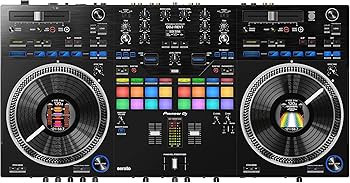
DDJ -REV7
Price 233290.0 INR / Piece
Minimum Order Quantity : 1 Piece
Color : Black
Weight (kg) : 7.1 kg
Product Type : DJ Controller
Channels : 2 Channels
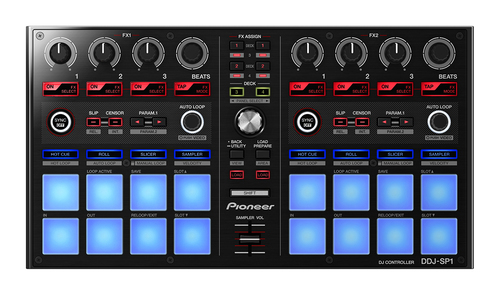
Pioneer DDJ-SP1 DJ Controller
Price 31700 INR / Piece
Minimum Order Quantity : 1 Piece
Color : Black
Weight (kg) : 1.41 Kilograms (kg)
Product Type : DJ Controller
Channels : None (controller no builtin mixer)


- B No. 67, Ganesh Chandra Avenue -Ground Floor, Near Hind Cinema,Kolkata - 700013, West Bengal, India
- Phone : 08071931135


- Mr Ashwin Jaiswal (Proprietor)
- Mobile : 08071931135
-
 Send Inquiry
 Send Inquiry
TECHNO VIBEZ
All Rights Reserved.(Terms of Use)
Developed and Managed by Infocom Network Private Limited.
Developed and Managed by Infocom Network Private Limited.

