


 Send Inquiry
Viewsonic Td1630-3 Touch Screen Monitor
Price 21000 INR/ Piece
MOQ : 1 Piece
Viewsonic Td1630-3 Touch Screen Monitor Specification
- Voltage
- 100-240V AC
- Usage
- Interactive touch applications, POS, Kiosk
- Power Consumption
- 15W (typical)
- Power Supply
- External Adapter
- Product Type
- TN Technology
- Material
- Plastic and Glass
- Size
- 26"
- Style
- Compact and Sleek
- Weight
- 1.32 Kilograms (kg)
- Feature
- 10-point touch, Scratch resistant, Flicker-Free
- Color
- Black
- Operating Temperature
- 0°C to 40°C
- Touch Technology
- Projected Capacitive
- Screen Type
- Touch Screen Monitor
- Resolution
- 1366 x 768 HD
- Mounting Option
- VESA Mount (75 x 75mm)
- Viewing Angle
- 170°/160° (H/V)
- Built-in Speakers
- 2W x 2
- Connectivity
- VGA, HDMI, USB
- Dimensions
- 378 mm x 232 mm x 28 mm (W x H x D)
- Response Time
- 8ms
- Brightness
- 200 cd/m²
- Aspect Ratio
- 16:9
Viewsonic Td1630-3 Touch Screen Monitor About
Viewsonic Td1630-3 Touch Screen Monitor
TD1630-3 delivers touchscreen versatility, offering fantastic flexibility for retail or business settings. View Sonic TD1630-3 is a 16 (15.6 viewable) display with 10-point multi-touch functionality, while VGA and HDMI inputs provide flexible connectivity.
10-Point Projected Capacitive Touch
Experience accurate and smooth touch response with 10-point projected capacitive technology on the Viewsonic TD1630-3. This feature ensures effortless navigation and multitouch control, enhancing productivity in environments such as retail, hospitality, and educational settings where fast, reliable touch input is essential.
Versatile Connectivity and Installation
The TD1630-3 comes equipped with VGA, HDMI, and USB ports, allowing seamless integration with various devices. Its compact structure, built-in speakers, and standard VESA mount compatibility make it easy to install on counters, walls, or kiosks, fitting perfectly in limited spaces without compromising functionality.
FAQs of Viewsonic Td1630-3 Touch Screen Monitor:
Q: How do I install the Viewsonic TD1630-3 Touch Screen Monitor?
A: You can mount the TD1630-3 using the VESA (75 x 75mm) option on walls or stands, or simply place it on a flat surface. Connect it to your devices via the VGA, HDMI, or USB ports, and power it using the included external adapter.Q: What applications is this monitor suitable for?
A: The Viewsonic TD1630-3 is ideal for interactive touch applications, such as point-of-sale terminals, kiosks, retail displays, and information points where quick and precise touch functionality is required.Q: Where can I purchase the TD1630-3 monitor in India?
A: The Viewsonic TD1630-3 Touch Screen Monitor is available through authorized suppliers and traders across India. You can inquire with electronics distributors or specialist business equipment providers.Q: What are the benefits of its 10-point touch and scratch-resistant design?
A: The 10-point touch capability allows multiple users or multitouch gestures simultaneously, while the scratch-resistant surface ensures durability and dependable performance in busy environments.Q: What is the typical process for connecting the monitor to a device?
A: Simply use the included VGA, HDMI, or USB cable to connect the monitor to your computer or POS system, and then plug in the external power adapter. Setup is designed to be quick and straightforward.Q: What usage environments is the TD1630-3 designed for?
A: The monitor is built for environments ranging from 0C to 40C, making it suitable for indoor locations such as shops, offices, schools, and hospitality venues in India.Q: How does the TD1630-3 improve user experience in retail and kiosk settings?
A: With its flicker-free display, bright visuals, responsive touch, and built-in speakers, the TD1630-3 offers an engaging and efficient interface that streamlines transactions and supports interactive customer engagement.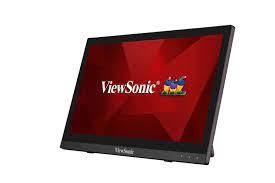
Tell us about your requirement

Price:
Quantity
Select Unit
- 50
- 100
- 200
- 250
- 500
- 1000+
Additional detail
Mobile number
Email

More Products in LED Interactive Display Category
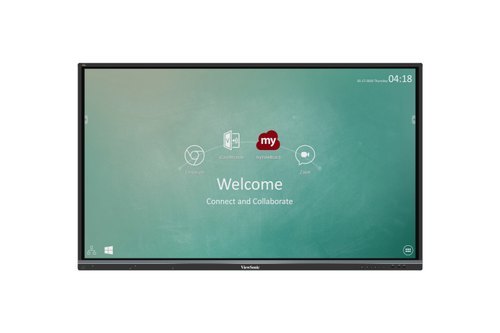
65'' Viewsonic Interactive Panel
Price 125000.00 INR / Piece
Minimum Order Quantity : 1 Piece
Size : 65 inch
Power Supply : AC 100240V, 50/60Hz
Weight : 40 Kilograms (kg)
Color : Black Frame, AntiGlare Glass
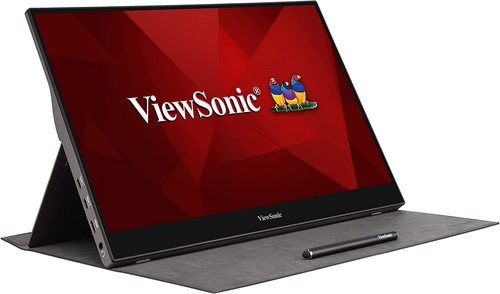
Viewsonic Td1655 Touch Screen Monitor
Price 25000 INR / Piece
Minimum Order Quantity : 1 Piece
Size : 16"
Power Supply : USB TypeC / External Adapter
Weight : 1 Kilograms (kg)
Color : Black
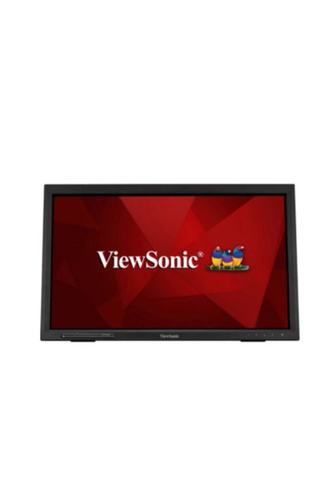
Viewsonic Td2223 Touch Screen Monitor
Price 24000 INR / Piece
Minimum Order Quantity : 1 Piece
Size : 22"
Power Supply : AC Adapter
Weight : 4.5 Kilograms (kg)
Color : 16.7M
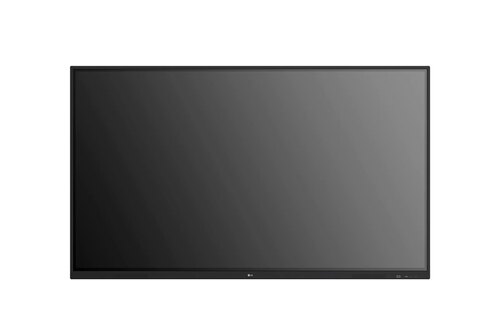
OPTOMA 86inch IFP-86 3862RK
Price 190000 INR / Piece
Minimum Order Quantity : 1 Piece
Size : 86 inch
Power Supply : Electric
Weight : 64 Kilograms (kg)
Color : Black


- B No. 67, Ganesh Chandra Avenue -Ground Floor, Near Hind Cinema,Kolkata - 700013, West Bengal, India
- Phone : 08071781754


- Mr Ashwin Jaiswal (Proprietor)
- Mobile : 08071781754
-
 Send Inquiry
 Send Inquiry
TECHNO VIBEZ
All Rights Reserved.(Terms of Use)
Developed and Managed by Infocom Network Private Limited.
Developed and Managed by Infocom Network Private Limited.

