


 Send Inquiry
Viewsonic Td1655 Touch Screen Monitor
Price 25000 INR/ Piece
MOQ : 1 Piece
Viewsonic Td1655 Touch Screen Monitor Specification
- Power Consumption
- 10.5 Maximum Watt (W)
- Voltage
- 5V DC
- Power Supply
- USB Type-C / External Adapter
- Usage
- Portable Touchscreen Monitor for Laptop/Desktop
- Product Type
- IPS-Type LCD
- Material
- Plastic and Metal
- Size
- 16"
- Style
- Slim, Ultra-Portable
- Weight
- 1 Kilograms (kg)
- Feature
- 10-point Projected Capacitive Touch, Full HD, Anti-Glare, Built-in Stand
- Color
- Black
- Surface Treatment
- Anti-Glare
- Stand
- Adjustable Built-in Kickstand
- Panel Type
- IPS
- Included Accessories
- USB Type-C Cable, mini HDMI Cable, Protective Sleeve
- Viewing Angle
- 178°/178°
- Refresh Rate
- 60 Hz
- Dimensions
- 355.6 x 223.6 x 15.9 mm
- Speaker
- Stereo (2 x 0.8W)
- Contrast Ratio
- 800:1
- OS Compatibility
- Windows, MacOS, Android, Chrome OS
- Touch Technology
- 10-point Multi-touch
- Response Time
- 6 ms (GtG)
- Brightness
- 250 cd/m²
- Connectivity Ports
- 2 x USB Type-C, 1 x mini HDMI, 1 x 3.5mm Audio Out
- Display Resolution
- 1920 x 1080 (Full HD)
Viewsonic Td1655 Touch Screen Monitor About
Viewsonic Td1655 Touch Screen Monitor
Bring your productivity with you with the TD1655 15.6" 16:9 Portable Multi-Touch IPS Monitor from View Sonic. Featuring a compact design measuring less than an inch thick and weighing only two pounds, this portable monitor is intended for on-the-go users to help enhance their capabilities while away. Moreover, multi-touch support and an included stylus can further help to improve its accessibility and efficiency. Specs-wise, it has a 1920 x 1080 Full HD resolution, an 800:1 static contrast ratio, and a 250 cd/m brightness rating. Its connectivity options include USB Type-C, which supports video, audio, and data, as well as Mini-HDMI.
Ultra-Portable Touchscreen Productivity
The ViewSonic TD1655 redefines mobility with a slim, lightweight body and a built-in adjustable stand, making it a practical companion for laptops, desktops, or even select mobile devices. Its plug-and-play setup with USB Type-C or mini HDMI ensures quick deployment, whether youre at your desk or working remotely. Experience seamless multitasking or creative work thanks to its responsive 10-point touch and vibrant Full HD visuals.
Enhanced Viewing Comfort Anywhere
Experience vivid and accurate colors across wide 178-degree viewing angles, supported by an anti-glare IPS screen. The TD1655s Full HD resolution and solid brightness assure clarity, while its portable form factor doesnt compromise on build quality or usability. With stereo speakers, a protective sleeve, and multi-platform compatibility, this monitor supports productivity and entertainment on the go.
FAQs of Viewsonic Td1655 Touch Screen Monitor:
Q: How do I connect the ViewSonic TD1655 to my laptop or other devices?
A: You can connect the TD1655 using the included USB Type-C cable or mini HDMI cable. Both USB Type-C ports support video, touch, and power delivery, making it easy to connect with compatible laptops, desktops, smartphones, or tablets without hassle.Q: What devices and operating systems are compatible with this monitor?
A: The TD1655 works seamlessly with Windows, MacOS, Android, and Chrome OS devices that support external displays. Just plug and play for instant expansion of your digital workspace.Q: When should I use the touch functionality, and what are its benefits?
A: The 10-point projected capacitive touch screen is ideal when you need interactive control for presentations, digital drawing, annotating documents, or multitasking between apps. It enhances productivity and allows for intuitive navigation and on-screen gestures.Q: Where is the best place to use the TD1655 portable monitor?
A: Thanks to its slim and lightweight design, the TD1655 is perfect for use in offices, cafes, classrooms, during client meetings, or anywhere you need a secondary or primary display on-the-go. The included protective sleeve and robust build make transportation easy and secure.Q: What is the setup process for the ViewSonic TD1655?
A: Simply unbox the monitor, place it using the built-in adjustable kickstand, and connect it to your device using either the USB Type-C or mini HDMI cable. No extra drivers are required for most operating systems, making the setup process straightforward and quick.Q: How does the anti-glare screen improve usage?
A: The anti-glare treatment minimizes reflections and eye strain, letting you work comfortably for extended periods under different lighting conditions, whether youre inside or outdoors.Q: What key benefits does the ViewSonic TD1655 offer for professionals and students?
A: This monitor offers increased productivity through multitasking, enhanced presentation capabilities, and creative applications through touch. Its portability ensures you can work efficiently anywhere, while its sturdy build and included accessories ensure long-term value.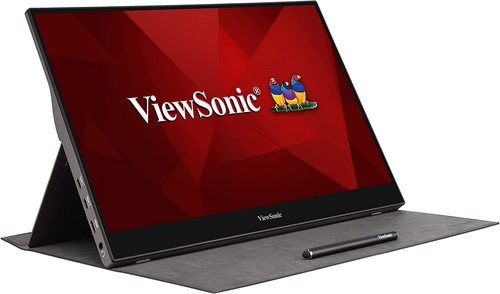
Tell us about your requirement

Price:
Quantity
Select Unit
- 50
- 100
- 200
- 250
- 500
- 1000+
Additional detail
Mobile number
Email

More Products in LED Interactive Display Category
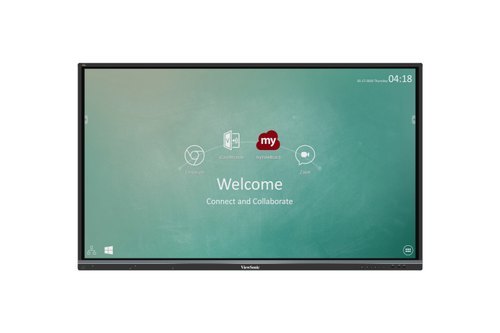
65'' Viewsonic Interactive Panel
Price 125000.00 INR / Piece
Minimum Order Quantity : 1 Piece
Weight : 40 Kilograms (kg)
Usage : Interactive Learning, Classrooms, Conference Rooms
Power Supply : AC 100240V, 50/60Hz
Voltage : 110220V
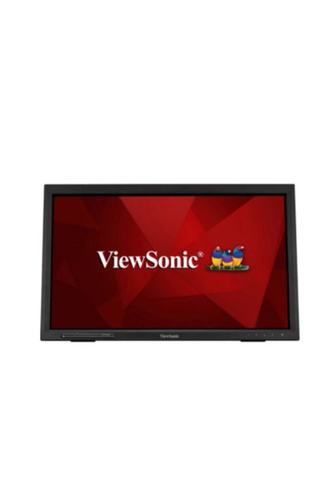
Viewsonic Td2223 Touch Screen Monitor
Price 24000 INR / Piece
Minimum Order Quantity : 1 Piece
Weight : 4.5 Kilograms (kg)
Usage : Office, Home, Industrial applications
Power Supply : AC Adapter
Voltage : 100240V
Viewsonic Td1630-3 Touch Screen Monitor
Price 21000 INR / Piece
Minimum Order Quantity : 1 Piece
Weight : 1.32 Kilograms (kg)
Usage : Interactive touch applications, POS, Kiosk
Power Supply : External Adapter
Voltage : 100240V AC
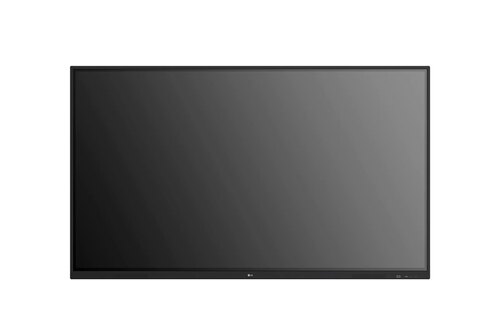
OPTOMA 86inch IFP-86 3862RK
Price 190000 INR / Piece
Minimum Order Quantity : 1 Piece
Weight : 64 Kilograms (kg)
Usage : Meetings, Presentation, Education
Power Supply : Electric
Voltage : 100240 Volt (v)


- B No. 67, Ganesh Chandra Avenue -Ground Floor, Near Hind Cinema,Kolkata - 700013, West Bengal, India
- Phone : 08071931135


- Mr Ashwin Jaiswal (Proprietor)
- Mobile : 08071931135
-
 Send Inquiry
 Send Inquiry
TECHNO VIBEZ
All Rights Reserved.(Terms of Use)
Developed and Managed by Infocom Network Private Limited.
Developed and Managed by Infocom Network Private Limited.

