


 Send Inquiry
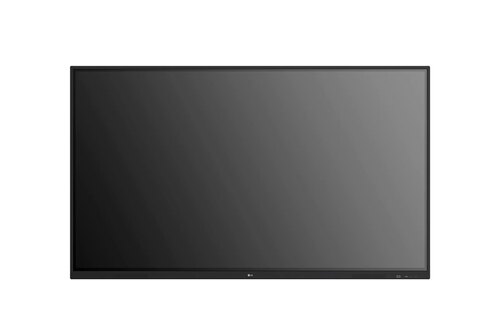
Viewsonic Td2223 Touch Screen Monitor
Price 24000 INR/ Piece
MOQ : 1 Piece
Viewsonic Td2223 Touch Screen Monitor Specification
- Usage
- Office, Home, Industrial applications
- Voltage
- 100-240V
- Power Consumption
- <26W Typical
- Power Supply
- AC Adapter
- Product Type
- Touch Screen Monitor
- Material
- Plastic and Metal
- Size
- 22"
- Style
- Modern
- Weight
- 4.5 Kilograms (kg)
- Feature
- 10-point touch, tilt stand, HDMI/VGA/USB connectivity
- Color
- 16.7M
- Panel Type
- TN (Twisted Nematic)
- Touch Technology
- Projected Capacitive
- Connectivity Ports
- HDMI, VGA, USB-B (Touch), 3.5mm Audio Out
- Refresh Rate
- 60 Hz
- Contrast Ratio
- 1000:1
- VESA Mount
- 100 x 100 mm
- Resolution
- 1920 x 1080 (Full HD)
- Brightness
- 250 cd/m
- Display Surface
- Anti-glare
- Viewing Angle
- Horizontal 170, Vertical 160
- Operating Temperature
- 0C 40C
- Response Time
- 5 ms
- Dimensions (WxHxD)
- 511 x 311 x 53 mm (without stand)
- Screen Type
- LCD
- Speaker
- 2W x 2 (Stereo)
Viewsonic Td2223 Touch Screen Monitor About
Viewsonic Td2223 Touch Screen Monitor
The ViewSonic TD2223 is a 22 IR touch display designed for intuitive multi-touch use. Infrared (IR) touchscreen can detect up to 10 points of contact compared to optical touchscreens and can be operated by a stylus, fingers and gloved hands. The multi-touch input is more accurate, and the display is faster. Coupled with an adjustable tilt, you can easily interact with the TD2223 at an ideal position. This monitor features Full HD resolution to give you clear images and is built with scratch-resistant 7H hardness screen to surface damage. To support your work, the TD2223 is equipped with VGA, HDMI, DVI and USB connectivity.
Intuitive Multi-Touch Experience
The TD2223 features advanced projected capacitive touch technology, supporting up to 10 simultaneous touch points. This functionality is ideal for collaborative work environments, educational spaces, and interactive kiosk installations. Precision and fast response times make it effortless to navigate documents, applications, and multimedia.
Versatile Connectivity for All Applications
Connectivity is streamlined with HDMI, VGA, and a USB-B port for touch, ensuring compatibility with PCs, POS systems, and industrial equipment. The monitor also incorporates a 3.5mm audio output and built-in stereo speakers, offering complete media support for office presentations or home entertainment.
Ergonomic and Durable Design
With its anti-glare display and tilt stand, the TD2223 provides comfortable viewing in varying lighting conditions and workstations. Its sturdy plastic and metal construction and VESA mounting support ensure longevity and easy installation, suitable for continuous usage in demanding environments.
FAQs of Viewsonic Td2223 Touch Screen Monitor:
Q: How does the 10-point touch technology of the Viewsonic TD2223 enhance user interaction?
A: The projected capacitive 10-point touch feature allows multiple users to interact with the monitor simultaneously, promoting engaging collaboration and intuitive control over applications in educational, office, and industrial scenarios.Q: What connectivity options are available on the TD2223 Touch Screen Monitor?
A: This monitor offers HDMI, VGA, USB-B (for touch control), and a 3.5mm audio out port, making it compatible with computers, point-of-sale systems, and multimedia setups. The dual 2W speakers further provide built-in stereo sound.Q: When is this monitor ideal to use in professional and industrial environments?
A: Thanks to its fast response, Full HD clarity, and robust projected capacitive touch functionality, the TD2223 is suitable for frequent use in office workstations, retail POS terminals, industrial displays, and training spaces.Q: Where can I mount the Viewsonic TD2223 monitor for customized installation?
A: The TD2223 features a VESA mounting interface (100 x 100 mm), allowing it to be securely attached to walls, adjustable arms, or kiosks for flexibility in space management and positioning.Q: What is the process for setting up touch functionality with this monitor?
A: To enable touch, connect the USB-B cable from the monitor to your computer, alongside HDMI or VGA for visual output. Install any necessary drivers, and the touch capability will activate, ready for immediate use.Q: How does the anti-glare display surface benefit day-to-day usage?
A: The anti-glare surface minimizes reflections and ambient light interference, making the monitor comfortable to use over long periods and in bright environments, thus improving productivity and user experience.Q: What are the energy efficiency and operating requirements for the TD2223 monitor?
A: The monitor operates efficiently on a 100-240V AC supply and consumes less than 26W typically. It functions reliably between 0C and 40C, making it perfect for long-term deployment in homes, businesses, or industrial settings.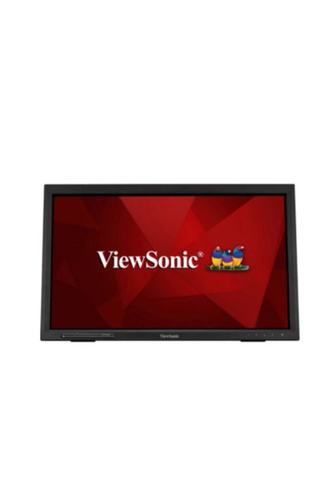
Tell us about your requirement

Price:
Quantity
Select Unit
- 50
- 100
- 200
- 250
- 500
- 1000+
Additional detail
Mobile number
Email

More Products in LED Interactive Display Category
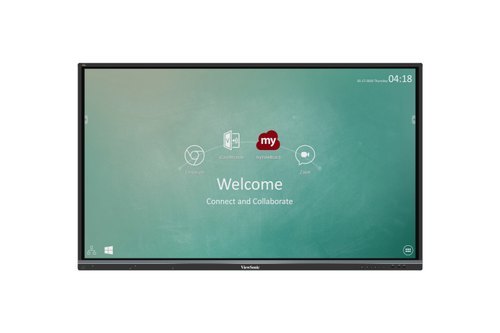
65'' Viewsonic Interactive Panel
Price 125000.00 INR / Piece
Minimum Order Quantity : 1 Piece
Usage : Interactive Learning, Classrooms, Conference Rooms
Voltage : 110220V
Power Supply : AC 100240V, 50/60Hz
Color : Black Frame, AntiGlare Glass
Viewsonic Td1630-3 Touch Screen Monitor
Price 21000 INR / Piece
Minimum Order Quantity : 1 Piece
Usage : Interactive touch applications, POS, Kiosk
Voltage : 100240V AC
Power Supply : External Adapter
Color : Black
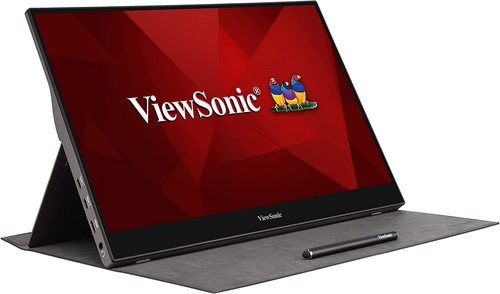
Viewsonic Td1655 Touch Screen Monitor
Price 25000 INR / Piece
Minimum Order Quantity : 1 Piece
Usage : Portable Touchscreen Monitor for Laptop/Desktop
Voltage : 5V DC
Power Supply : USB TypeC / External Adapter
Color : Black
OPTOMA 86inch IFP-86 3862RK
Price 190000 INR / Piece
Minimum Order Quantity : 1 Piece
Usage : Meetings, Presentation, Education
Voltage : 100240 Volt (v)
Power Supply : Electric
Color : Black


- B No. 67, Ganesh Chandra Avenue -Ground Floor, Near Hind Cinema,Kolkata - 700013, West Bengal, India
- Phone : 08071931135


- Mr Ashwin Jaiswal (Proprietor)
- Mobile : 08071931135
-
 Send Inquiry
 Send Inquiry
TECHNO VIBEZ
All Rights Reserved.(Terms of Use)
Developed and Managed by Infocom Network Private Limited.
Developed and Managed by Infocom Network Private Limited.

